
Introduction
In a world where remote work has become a new norm, the quest for effective collaboration tools has been paramount. Microsoft Mesh, a groundbreaking platform, stands at the forefront of this revolution, promising to transform our remote work experiences. But what makes Microsoft Mesh not just another tech trend, but a potential game-changer in how we collaborate remotely?
The Essence of Microsoft Mesh
Introduced as a cornerstone of extended reality workplace experiences, Microsoft Mesh is an innovative blend of AI, 3D virtual workspaces, and spatial audio, designed to enhance team interactions in a remote setting. Positioned on the secure Azure platform, Mesh empowers users with features like avatars, co-presence, and rich virtual environments, thus bridging the gap often felt in remote work scenarios.

Created by Bing Image Creator
Building Human Connections in a Digital World
The modern workforce, scattered across various geographies, faces the challenge of maintaining strong professional relationships. Microsoft Mesh offers a solution by creating shared immersive experiences. These experiences are not just about completing tasks; they're about rebuilding social capital, fostering authentic human connections, and making remote employees feel less isolated.
Transforming Meetings and Events with Immersive Technology:
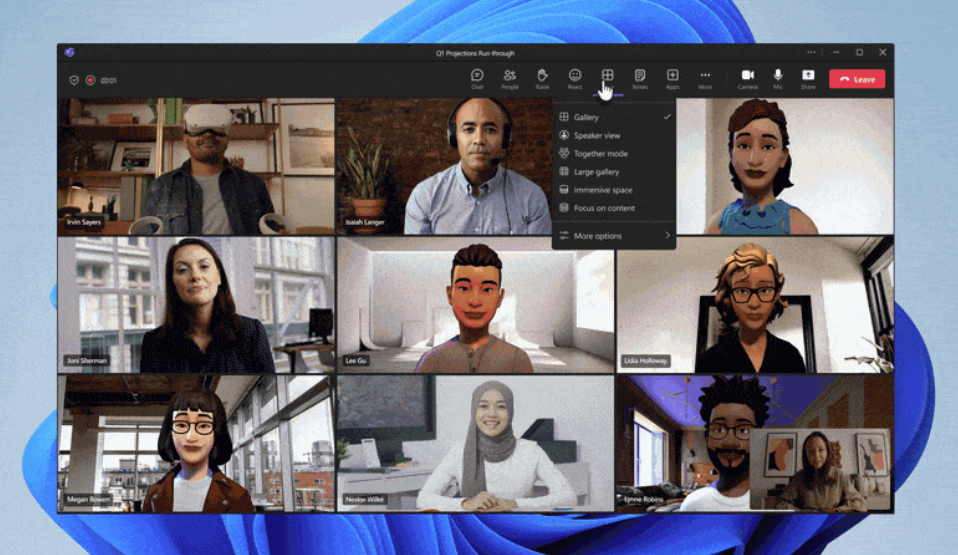
Microsoft Mesh goes beyond standard virtual meetings by offering 3D digital environments for meaningful connections. Imagine attending a meeting where you can walk over to a colleague, engage in small group discussions, or experience spatial audio that mimics real-life interactions. Mesh integrates seamlessly with Microsoft Teams, allowing for these immersive experiences without needing specialized tools.
Customization and Creativity in Virtual Spaces
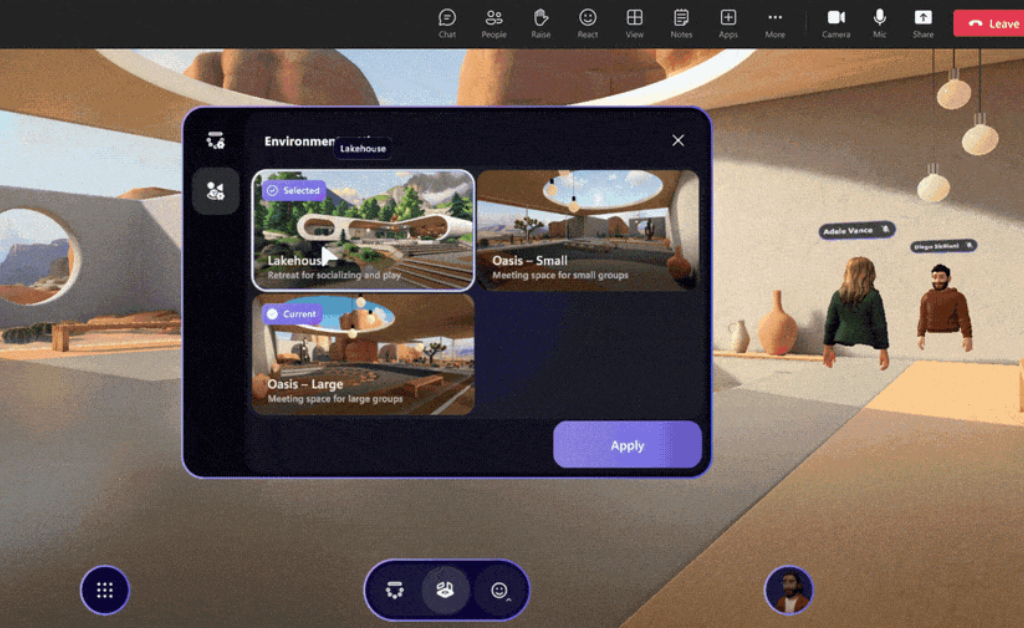
One of the standout features of Microsoft Mesh is its flexibility. Users can choose pre-made virtual environments or customize their own for various business needs. From hosting large corporate events to creating intimate brainstorming sessions, Mesh provides the tools to make virtual interactions more engaging and effective.
Mesh for Developers and Beyond
For developers, Mesh opens a world of possibilities. With tools that integrate with Unity and C#, creators can build custom environments that offer unique interactions and experiences. Whether it's for training, onboarding, or even creating virtual museums, Mesh provides a platform for limitless creativity.
And now lets Deep Dive into Step-by-Step Guide to start with Microsoft Mesh:
Prerequisites for Microsoft Mesh:
Azure Active Directory Role: Must have one of the following roles:
- Global Administrator
- Security Administrator
- Office Apps Admin
License Requirements:
- Teams Premium license for commercial use (during PR Phase).
- Optional - Unity licenses and Azure subscription for developing custom immersive spaces and deploying Cloud Scripting.
Steps to Configure Microsoft Mesh in M365 Apps Admin Center:
- Sign In: Log into M365 Apps Admin Center with an Azure Active Directory account having admin privileges.
- Navigate to Policy Management: Go to Customization > Policy Management.
- Policy Creation/Identification: Create or identify an existing policy for users or groups for Mesh configuration.
- Adjust Policy Scope: Determine who or what groups can access all Mesh experiences.
- Configure Settings: Search for and select the policy for controlling user access to Microsoft Mesh experiences.
- Enable/Disable Policy: Enable or Disable the policy for specific users or groups.
- Review and Publish: Review the policy and select 'Create' to publish.
- Policy Confirmation: Ensure the policy configuration appears in the Policy Management page.
These steps and prerequisites are specifically for setting up Microsoft Mesh within an organization and managing its access through the M365 Apps Admin Center. The steps may vary slightly depending on the specific use case or organization's setup.
Conclusion:
Microsoft Mesh is not just an addition to the suite of remote work tools; it's a paradigm shift in how we perceive and engage in virtual collaboration. By offering immersive experiences that foster genuine connections, Mesh has the potential to redefine remote teamwork, making it more human, interactive, and productive.
I'd love to hear your thoughts on this evolving technology. How do you see Microsoft Mesh changing the landscape of remote work in your industry? Share your insights in the comments below.