
Hosting Your First Immersive Meeting
Microsoft Mesh is revolutionizing the way we conduct virtual meetings by creating immersive experiences that bring people closer together, even when they're miles apart. By utilizing the tools and features available in Mesh, you can transform your meetings into engaging and interactive sessions. At the end of the day, it's our responsibility to leverage the technology in the right way to create the right experiences.
Immersive spaces make the most sense for a first step into Mesh. They're available to use in every scheduled Teams meeting so there's no friction to get started. Here?s a guide to help you host your first immersive meeting and make the experience memorable and productive.
Preparing for Your Immersive Meeting
Set Clear Objectives
Before conducting an immersive meeting, it?s essential to set clear objectives. Whether it's a brainstorming session, a team-building activity, or a project update, understanding the purpose will help you choose the right tools and environments within Mesh.
Our first immersive meeting should be casual and focused on more team building as your colleague's experience for the first time. Curiosity and exploration is highly encouraged!
Ensure Technical Readiness
While Immersive Spaces is directly in Teams we can never be too prepared! A quick technical setup guide or encouraging participants to test beforehand can help participants get ready without any hitches.
For larger groups and events, it makes sense to have dedicated technical check sessions to ensure the technology and any issues aren't a distraction beforehand.
Getting Started with Immersive Meetings in Microsoft Mesh
Step 1: Joining an Immersive Space
Participants can join immersive spaces directly from Microsoft Teams. Here's how:
- During a Teams meeting, select the View menu.
- Choose the Immersive Space option to transform a 2D meeting into a 3D immersive experience.
- Participants can select an avatar that reflects their appearance, style, or mood for the day.
Step 2: Navigating the Virtual Environment
Once inside the immersive space, participants can:
- Look around, walk, run, or teleport to different areas using their avatars. This will ensure participants can navigate the space.
- Engage in spatial interactions, such as moving objects, sitting at a virtual table, or gathering around a virtual campfire. This will ensure participants have their audio settings working correctly.
Recommended Activities for Immersive Meetings
Most if not all of these activities were recommended by Microsoft (thank you!) and we've really enjoyed them to get people to have a fuller experience in Mesh. From a technology standpoint there is nothing additional that needs to be developed to have these experiences which makes this simple and ready!
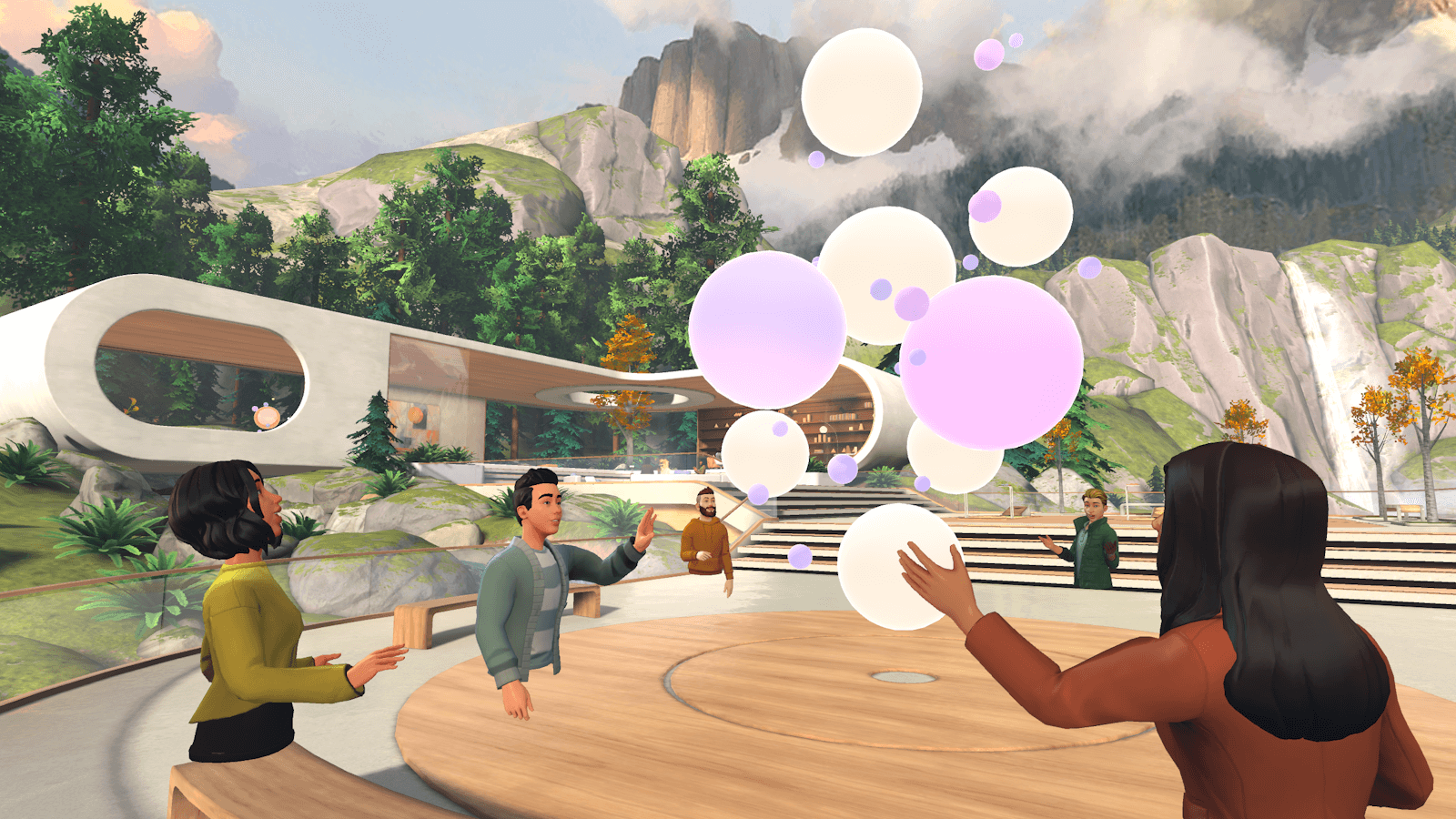
Icebreakers
Begin with simple activities to break the ice and get participants comfortable with the environment. Some of these activities are located in the Lakehouse.
- Prompt Bubbles: Use spheres that contain conversation starters and fun icebreaker questions to stimulate discussion. If participants aren't in the immersive space, we love to add a poll and have everyone in the group answer! The host can share screen to give visibility to the space as well.
- Simon Says: Engage in a classic game of Simon Says using avatars to follow commands and actions.
- Roast Marshmallows: Gather around a virtual campfire to socialize and recreate the experience of roasting marshmallows.
- Bean Bag Toss: Participate in a fun throwing game where the goal is to get the most bags into the hole.
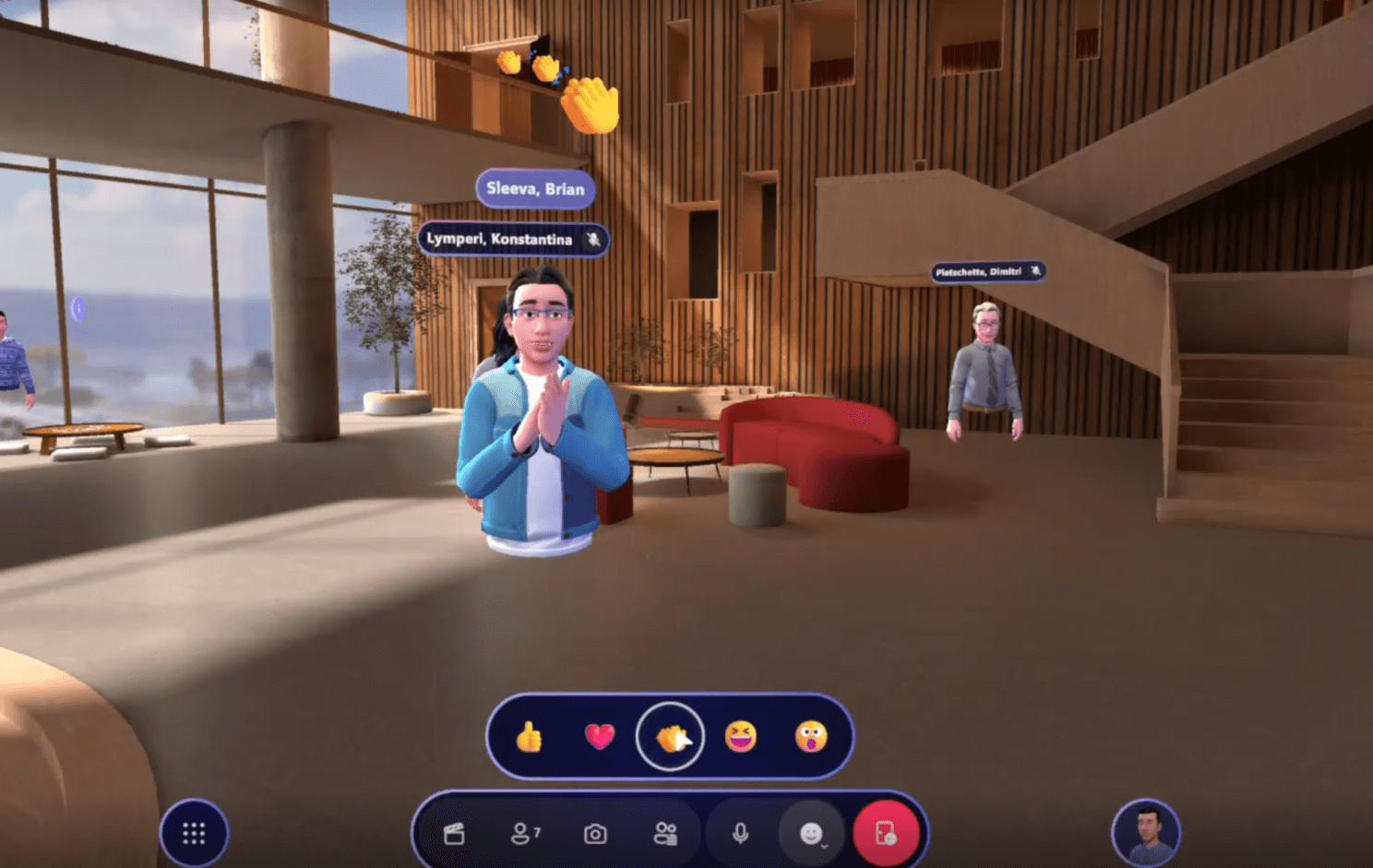
Team Bonding Activities
Foster a sense of community through activities designed to enhance team bonding.
- Avatar Fashion Show: Have participants show off their avatars with fun and creative attire. Use the poll app in Teams to select a winner!
- Emoji Rock-Paper-Scissors: Play a virtual version of rock-paper-scissors using emoji reactions. Turn this into a round robin tournament if you have a larger group! This simple activity has been one of the most fun things we've done in Mesh.
- Scavenger Hunt: Find the radio, find the green sofa, find the marshmallows, create the funniest team photo, create funniest team photos using different styles of avatar. The teams have to take a screen shot of each mission and paste in chat. Those not in immersive are the judges!
Tips for a Successful Immersive Meeting
- Keep It Simple: For the first session, start with basic activities and gradually introduce more complex features.
- Provide Guidance: Offer a brief tutorial or walkthrough at the beginning to help participants understand the controls and features.
- Encourage Interaction: Facilitate activities that require interaction, such as group discussions, collaborative tasks, and interactive games.
Conclusion
Microsoft Mesh offers a unique platform to transform your virtual meetings into immersive experiences, making them more engaging and interactive. By setting clear objectives, ensuring technical readiness, and planning interactive activities, you can create memorable and productive meetings in Mesh.
Stay tuned for more tips and insights as we continue to explore the capabilities of Microsoft Mesh.